
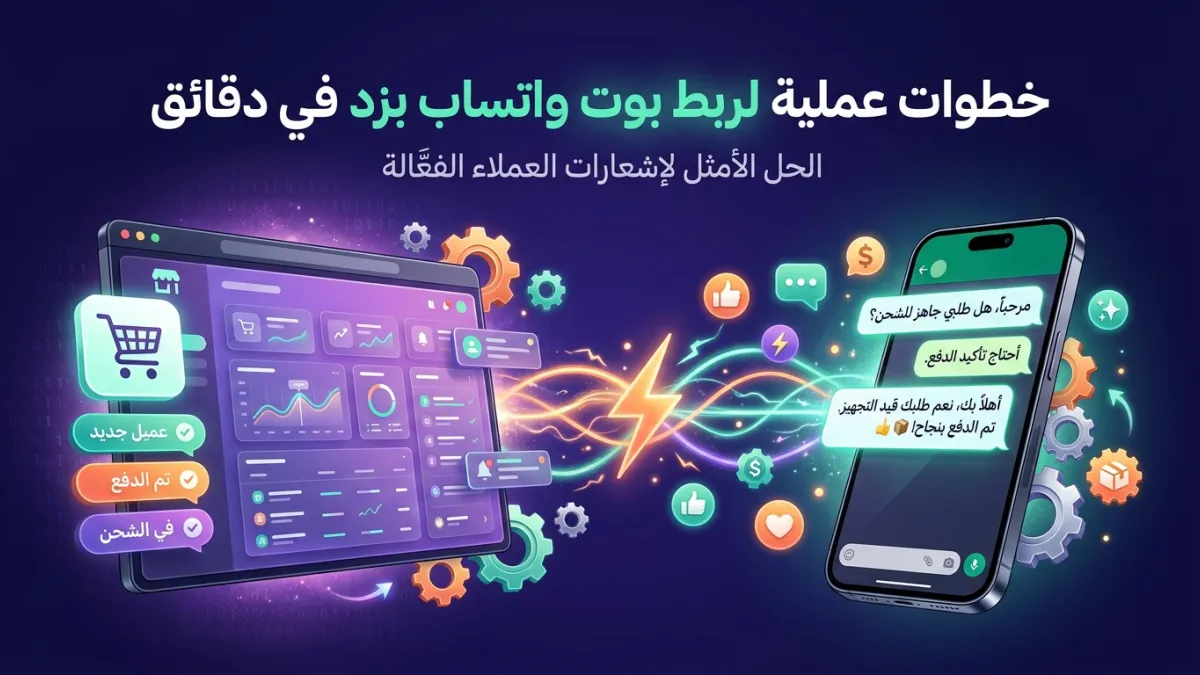
Have you ever imagined your Zid store automatically communicating with its customers, answering their inquiries, reminding them about products left in shopping carts, and offering them special deals, all through the WhatsApp application they use daily? In the fast-paced world of e-commerce, effective communication is no longer just an added feature; it's an absolute necessity for the success of any online store. This is where the importance of Zid integration with advanced messaging solutions comes in. The process of connecting a WhatsApp bot to Zid isn't as complicated as it might seem; rather, it involves practical and straightforward steps that can make a huge difference in your store's performance, transforming visitors into loyal customers.
Zid platform has proven itself as one of the leading platforms empowering merchants in Saudi Arabia and the GCC region, thanks to its user-friendly interface and powerful features. However, even the best stores need exceptional communication channels to stand out. Imagine every customer visiting your Zid store receiving instant support, order updates, and even personalized reminders via WhatsApp – isn't this what every merchant is looking for? This guide will take you step-by-step towards achieving this integration, ensuring an unforgettable customer experience and a significant increase in your sales.
Why Connecting a WhatsApp Bot to Zid is an Absolute Must for Your Store?
In today's digital landscape, where competition is fierce and customer expectations are constantly rising, merely having an online store on a powerful platform like Zid is no longer enough. Merchants must seek ways to enhance customer experience and streamline operations. This is where the Official WhatsApp Business API stands out as an indispensable communication channel, and when a WhatsApp bot is connected to Zid, the added value to your store multiplies significantly.
Firstly, WhatsApp is the most widely used application in the Middle East and North Africa (MENA) region, meaning most of your potential customers are already there. Interacting with them on their preferred platform removes barriers and makes communication smoother and more natural. Secondly, this integration allows you to automate many routine tasks that consume your team's time and effort. From answering frequently asked questions to sending order updates, a WhatsApp bot can handle these efficiently, freeing up your team to focus on more complex tasks that require human intervention.
Additionally, this integration plays a crucial role in recovering abandoned shopping carts. Statistics indicate that a significant percentage of customers add products to their shopping cart and then leave without completing the purchase. By sending automated and personalized reminders via WhatsApp, you can recover a large portion of these lost sales. Furthermore, sending order status notifications, such as order confirmation, shipping, and delivery, boosts customer confidence and reduces 'Where's my order?' inquiries, thereby increasing overall satisfaction and encouraging repeat purchases.
Practical Steps to Connect a WhatsApp Bot to Zid via LetsBot
The process of connecting a WhatsApp bot to Zid with LetsBot is designed to be easy and straightforward, even if you don't have deep technical expertise. As an official Meta Business Partner, we guarantee a secure and efficient integration process. Follow these steps to start reaping the benefits of automation and effective communication:
- Obtain a WhatsApp Business API Account from LetsBot: The first step is to register with LetsBot and choose the appropriate package for your store. Our team will assist you in setting up your WhatsApp Business API account, which serves as the official and reliable gateway for communicating with your customers at scale. This process includes verifying your Facebook Business Account and activating your WhatsApp number as a business account.
- Activate Zid Integration on the LetsBot Platform: Once your account is activated, you'll find the Zid integration option within your LetsBot dashboard. Click the "Connect" or "Activate" button and follow the instructions to link your Zid store to your LetsBot account. This typically requires entering an API key or token from your Zid control panel into LetsBot to grant the necessary permissions.
- Configure Automation and Messages: After successful integration, you can start configuring the automation you desire. LetsBot provides ready-to-use templates for various scenarios, such as:
- Abandoned Cart Messages: Set up automated reminder messages sent to customers who leave products in their cart without completing the purchase. You can customize these messages to include special offers or incentives to finalize the purchase.
- Order Status Notifications: Automate the sending of messages for order confirmation, shipping updates, and delivery confirmation.
- Welcome Messages: Send an automated welcome message to new customers or upon their first interaction with your store via WhatsApp.
- FAQ Responses: Set up a bot to answer frequently asked questions about store policies, operating hours, or product information.
- Test the Integration: Before fully launching the automation, ensure it is thoroughly tested. Place a test order on your Zid store, abandon a shopping cart, and send inquiries to your store's WhatsApp number to ensure messages are sent correctly and at the specified times. This guarantees a seamless experience for your customers.
Through these simple steps, you will have built a strong bridge between your Zid store and your customers via WhatsApp, opening new horizons for effective communication and increased sales. Don't hesitate to explore the complete LetsBot platform to get the most out of this integration.
Unique LetsBot Features for Effective Zid Integration
As an official Meta Business Partner, LetsBot offers a comprehensive suite of features specifically designed to enhance Zid LetsBot integration, ensuring optimal performance and maximum efficiency for your store. These features go beyond merely sending messages, encompassing integrated solutions for customer support, sales, and marketing.
- Abandoned Cart Recovery: Set up automated campaigns to re-engage customers who leave products in their shopping cart. Messages can be customized to include special offers or direct links to complete the purchase, significantly increasing conversion rates.
- Advanced Order Status Notifications: Send instant updates to customers about their order status: order confirmation, shipping, delivery, and even potential delay notifications. This reduces customer inquiries and enhances their trust in your store.
- Multi-Agent Live Chat: Don't rely solely on automation. With LetsBot's Live Chat, your customer support team can respond to customer inquiries in real-time via WhatsApp, with the ability to distribute conversations among multiple agents and ensure no message is missed.
- AI WhatsApp Bot with Custom Training: Harness the power of an AI WhatsApp bot that can be trained on your store's data and products. This bot can answer complex customer inquiries, provide product recommendations, and even assist with common issues 24/7.
- Targeted Bulk Messaging Campaigns: Launch targeted marketing campaigns to thousands of customers at once via WhatsApp. You can segment your audience based on purchase behavior, preferred products, or any other data available from your Zid store, ensuring your message reaches the right audience at the right time.
- Payment Integration (Stripe + PayTabs): Facilitate the payment process for customers via WhatsApp through LetsBot's integration with popular payment gateways like Stripe and PayTabs, providing a seamless and secure purchasing experience.
- 24/7 Arabic Customer Support: LetsBot's support team is available around the clock to assist you with any inquiries or issues you may encounter, ensuring your store operates smoothly without interruption.
These features, coupled with LetsBot being an official Meta Business Partner, guarantee you not just a powerful tool, but a trusted partner for the growth of your Zid store in the thriving e-commerce market.
Elevating the Customer Experience via Zid WhatsApp Bot: Advanced Strategies
After completing the WhatsApp bot integration with Zid, the possibilities don't stop at basic automation. There are many advanced strategies you can implement to exceptionally enhance the customer experience, transforming your Zid store into an unforgettable brand in your customers' minds. The goal is to build strong, lasting relationships that go beyond a mere purchase.
1. Personalizing the Shopping Experience Based on Behavior
Using the data collected by Zid LetsBot integration, you can create highly personalized shopping experiences. For instance, if a customer browsed specific products but didn't purchase them, you can send WhatsApp messages showcasing similar or related products, or even offer a discount on those specific items. This type of personalization makes the customer feel understood and valued, significantly increasing the likelihood of completing a purchase.
2. Loyalty and Rewards Programs via WhatsApp
You can use a WhatsApp bot to manage your loyalty programs. Send customers their accumulated reward points, remind them of exclusive offers available to them, or even send them special discount vouchers on their birthdays. This boosts loyalty, encourages repeat purchases, and makes your loyalty program more interactive and accessible.
3. Collecting and Analyzing Customer Reviews
After every purchase or customer service interaction, ask customers to provide their reviews via WhatsApp. You can ask specific questions or request ratings on a scale of 1 to 5. These reviews are not only a valuable source for improving your services and products but can also be used as strong social proof in your future marketing campaigns. Our article on WhatsApp Customer Reviews: 5 Message Templates to Boost Engagement provides practical examples.
4. Technical Support and After-Sales Service
The role of a WhatsApp bot isn't limited to pre-sales and during the sale. You can use it to provide after-sales technical support, answer inquiries about product usage, or offer maintenance tips. This boosts customer confidence in your store, reduces return rates, and ensures a comprehensive and exceptional customer experience. Remember that LetsBot MCP — Free with Any API Plan provides you with a powerful platform to efficiently manage all these interactions.