
Event-triggered messages
A message fires the instant a person is added or a deal is created, or when a deal moves stage or is won. You pick the event; LetsBot handles the rest.
Channels & Apps
AI & Automation
Integrations & App Store
Business Tools
Already have a LetsBot account? Login to Dashboard
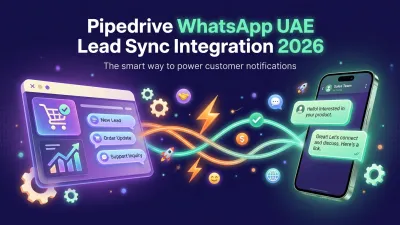
When a person is added, a deal is created, moves stage, or is won in Pipedrive, LetsBot automatically sends a personalized WhatsApp message — and logs replies back into Pipedrive.
Free during launch · No credit card required · Cancel anytime
How it works
From the first connect click to your first delivered WhatsApp message — under a minute, with zero code.
Log in to LetsBot and click "Connect Pipedrive." You authorize it through Pipedrive's secure OAuth in a single step — no password sharing, and you can revoke access anytime.
Choose the events that matter — a person added, a deal created, a deal moving stage, or a deal won — then write your message and personalize it with Pipedrive variables, or pick a ready-made rich template.
The moment the pipeline event happens, LetsBot sends the message through the official Meta-approved WhatsApp Business API — and logs the customer's reply as a note on the Pipedrive person automatically.
Capabilities
Six capabilities built around the Pipedrive data model — persons, deals, and pipeline stages — not bolt-on hacks.
A message fires the instant a person is added or a deal is created, or when a deal moves stage or is won. You pick the event; LetsBot handles the rest.
Bind any message to Pipedrive fields automatically — {CONTACT_NAME}, {DEAL_NAME}, {DEAL_VALUE}, {DEAL_STAGE} and more — so every message lands with the customer's name and deal details.
Text, buttons, lists, and media — build interactive WhatsApp messages with quick-reply buttons, selection lists, images, and files, all aligned to Meta's official categories.
It is not just outbound: when a customer replies on WhatsApp, LetsBot logs the reply as a note on the Pipedrive person, so your team stays fully in the loop.
Every event is fully opt-in — enable or disable it, edit its message, or change its conditions anytime from the LetsBot dashboard, without touching Pipedrive.
Every template ships with Arabic and English variants, with full right-to-left (RTL) support so Arabic messages render perfectly inside WhatsApp with no extra configuration.
Ready-made event message examples
Start from templates pre-formatted to Meta's UTILITY category requirements — the highest-approval tier for notifications — so they ship to approval without the usual review-loop friction.
| Pipedrive event | Template | What the customer gets |
|---|---|---|
Person addedperson.added |
pipedrive_person_welcome READY |
Instant welcome for every new Pipedrive person. |
Person updatedperson.updated |
pipedrive_person_welcome READY |
A message to the customer when their details change. |
Deal createddeal.added |
pipedrive_deal_created READY |
Alert on a new deal with its key details. |
Deal updateddeal.updated |
pipedrive_deal_updated READY |
Update the customer as the deal changes. |
Deal wondeal.won |
pipedrive_deal_won READY |
Thank-you the moment a deal is won + next steps. |
Trust & security
LetsBot requests the minimum scopes needed to read pipeline events and write notes — nothing more — through an explicit Pipedrive OAuth grant you can revoke at any moment.
The app requests read scopes for persons, deals, and pipelines, plus write access for notes — nothing else. LetsBot never touches data outside sending and logging messages, and you can revoke the grant from Pipedrive whenever you like.
Each customer gets a dedicated database. No query can cross between tenants at the application layer; isolation is enforced by a database-per-tenant architecture.
Event records: 24 months. Message bodies: 90 days. Backups: 30 days. We never sell data, never use it for model training, and never share it with ad networks — ever.
Meta Business Partner for the WhatsApp Business API, with on-platform template approval. UK-registered company (Companies House #15477940) with public director records.
New
Besides WhatsApp messages on Pipedrive events, Pipedrive can now stay in sync with the CRM built into LetsBot, in both directions.
| Pipedrive | LetsBot CRM | Direction |
|---|---|---|
Persons |
Customers | Both ways |
Organizations |
Companies | Both ways |
Deals |
Deals (won and lost included) | Both ways |
Activities |
Tasks | Both ways |
Calls and meetings |
Timeline | Into LetsBot |
Notes |
Timeline notes | Into LetsBot |
Two-way sync is free with your own Pipedrive subscription. It uses the same Pipedrive connection as your WhatsApp notifications, which keep working as before.
Pipedrive changes arrive as they happen, through Pipedrive webhooks. New WhatsApp numbers are not added to Pipedrive by default — the integration already logs conversations. Nothing is written until you press “Start sync”.
Connected before two-way sync existed? Press “Reconnect Pipedrive” once on the setup page to allow changes in both directions. What the LetsBot CRM does
Simple pricing
The Pipedrive integration is an addon you attach to any LetsBot plan. Pick the plan that matches your message volume, employees, and storage — your Pipedrive addon stays the same price across all of them.
Free during launch — Pipedrive connect is free for every LetsBot customer until the app is officially listed on the Pipedrive Marketplace. It becomes a paid add-on afterwards.
Adds Pipedrive event triggers (person/deal/stage change/deal won), the rich WhatsApp templates, and two-way logging on top of any active LetsBot plan.
Pipedrive addon + Starter plan, free for 14 days. No credit card.
For small teams starting Pipedrive-driven WhatsApp comms.
For active teams ready to scale Pipedrive automations.
High-volume teams with custom requirements.
Every plan includes one official WhatsApp Business number. All prices in USD, billed monthly or annually. VAT may apply based on your billing country.
FAQ
Yes. Pipedrive connect is completely free for every LetsBot customer during the launch period, until the app is officially listed on the Pipedrive Marketplace. After listing it becomes a paid add-on at $19/month (or $190/year).
Supported events today: person added, deal created, deal stage changed, and deal won. You pick any of them to trigger a personalized WhatsApp message, and we keep expanding the list.
Yes. You need a WhatsApp Business number connected inside LetsBot to send through the official WhatsApp Business API. Our team helps you connect and verify the number in minutes, and you can start a free trial with no credit card.
Absolutely. You bind messages to Pipedrive variables like person name, deal title, deal value, and stage, and choose from rich templates that support text, buttons, lists, and media — in both Arabic and English.
Yes. When a customer replies on WhatsApp, LetsBot logs the reply as a note on the matching Pipedrive person, so the full conversation stays on the customer record and your team can see it directly.
Connect Pipedrive from the LetsBot panel in one click via OAuth, then pick an event (like a deal created) and write your message. Your first WhatsApp message fires in under a minute, with no code.
No CRM yet? LetsBot has a built-in deals pipeline. Built-in deals sync with Pipedrive in both directions once you turn on two-way sync.
Discover other LetsBot solutions to grow your business
Enable Pipedrive connect from the LetsBot panel in one step. No credit card. No code. Free during launch.
LetsBot Ltd · UK Companies House #15477940 · Meta Business Partner
Dig deeper

Choose what you allow. You can change this at any time from “Cookie settings” at the bottom of every page. Privacy Policy
Essential
Needed for the site to work and stay secure: session, form protection, language memory and bot checks.
Analytics
Help us understand how pages are used and improve them, through Microsoft Clarity, which records page interactions such as clicks and scrolling.
Marketing
Measure how well our ads work, through Google Ads, the Meta Pixel and ChatGPT ads by OpenAI, including what our servers send to Meta and OpenAI.