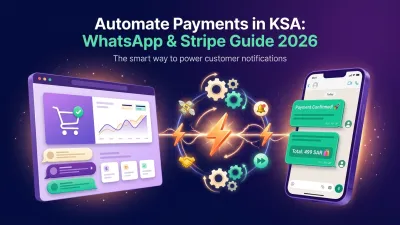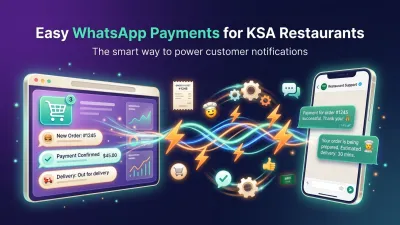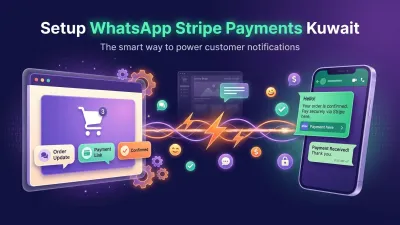


Turn Every Stripe Event Into a WhatsApp Conversation
LetsBot connects your Stripe account to the official WhatsApp Business API and delivers branded notifications for every payment, refund, invoice, and subscription event — all without writing a single line of code.
Free to install · No credit card required · Cancel anytime
Built on infrastructure trusted by millions
Live in three steps
From the first install click to your first delivered WhatsApp message — under sixty seconds, with zero code.
Install LetsBot from the Stripe Marketplace
One-click install from inside your Stripe Dashboard. We request customer_read only — every other operation runs server-to-server through the Connect OAuth grant you authorize separately.
Nine WhatsApp templates appear instantly
The moment you authorize Stripe, LetsBot seeds nine pre-built templates — payment succeeded, payment failed, invoice paid, subscription renewed, trial ending, refund issued, and more. All editable in our visual editor.
Customers get WhatsApp messages, not lost emails
Every Stripe event triggers a templated WhatsApp message through the official Meta-approved Business API. Customers see receipts, recovery prompts, and renewal reminders the moment they happen — open rates speak for themselves.
Everything Stripe sends, delivered to WhatsApp
Six categories of automation, all built around the Stripe object model — not bolt-on hacks.
Payment receipts
Branded WhatsApp confirmation the moment payment_intent.succeeded fires. Customer name, amount, currency, plan name, hosted-receipt link — all auto-bound from the Stripe object.
Failed-payment recovery
On charge.failed or invoice.payment_failed, automatically nudge customers with a friendly WhatsApp prompt and a one-click update-payment-method link. Recover revenue that would otherwise leak.
Refund & dispute notifications
Customers know about refunds before they have to ask. Trigger on charge.refunded or charge.dispute.created with a transparent message that builds trust instead of confusion.
Subscription lifecycle
Trial-ending warnings, renewal confirmations, cancellation acknowledgments, plan-change updates, past-due reminders. Your entire customer.subscription.* stream pipes through.
Reminders & follow-ups
Configure WhatsApp reminders that fire before or after seven Stripe events: abandoned checkouts, upcoming invoices, overdue invoices, failed payments, ending trials, cancellations, and refunds.
No-code template editor
Drag-and-drop editor with auto-bound Stripe variables — {CUSTOMER_NAME}, {PLAN_AMOUNT}, {INVOICE_URL}, dozens more. Bilingual (Arabic + English) and Meta-approval ready.
Production-ready templates, already approved by Meta
The moment you connect Stripe we provision nine WhatsApp templates pre-formatted to Meta's UTILITY category requirements — so they ship straight to approval without the usual review-loop friction.
stripe_payment_succeeded
Receipt for any successful charge or paid invoice.
stripe_payment_failed
Failed-payment notice with update-card link.
stripe_invoice_paid
Subscription invoice paid, with download link.
stripe_invoice_upcoming
Heads-up before the next renewal cycle.
stripe_subscription_trial_ending
Trial ending in 24h with conversion CTA.
stripe_subscription_canceled
Cancellation confirmation + reactivation link.
stripe_refund_issued
Refund initiated, expected arrival timeline.
stripe_dispute_created
Dispute filed, awaiting your team's response.
stripe_checkout_abandoned
Checkout-recovery nudge with one-click resume.
Built on principles Stripe and Meta share
The Stripe surface itself only requests customer_read. Every other operation runs server-to-server through the Connect OAuth grant your merchant authorizes separately on letsbot.net.
Minimum-permission scope
The Stripe App requests only customer_read. Sensitive operations (charges, payouts, transfers) stay server-to-server, gated by the merchant's explicit Connect OAuth grant.
Per-tenant data isolation
Each merchant gets a dedicated database. No cross-tenant queries are possible at the application layer; multi-tenancy is enforced by stancl/tenancy with database-per-tenant separation.
Transparent data retention
Event records: 24 months. Message bodies: 90 days. Backups: 30 days. Subprocessors: Stripe, Meta, AWS, DigitalOcean. No data sold, no ML training, no ad-network sharing — ever.
Official partnerships
Meta WhatsApp Business Solution Partner with on-platform template approval. Stripe Marketplace publisher. UK-registered company (Companies House #15477940) with public director records.
Stripe addon + your LetsBot plan
The Stripe integration is an addon you attach to any LetsBot plan. Pick the plan that matches your message volume, employees, and storage — your Stripe addon stays the same price across all of them.
Stripe automation addon
Adds the 9 pre-built WhatsApp templates, all Stripe event triggers, and the reminder builder on top of any active LetsBot plan.
Bundle examples — Stripe addon paired with our most-used plans
Stripe addon + Starter plan, free for 14 days. No credit card.
- 9 WhatsApp templates
- All Stripe event triggers
- Reminder builder
- Sandbox messages included
For small stores starting Stripe-driven WhatsApp comms.
- Up to 12,000 messages / month
- 5 employees
- 2 GB storage
- All 9 Stripe templates
For active stores ready to scale Stripe automations.
- Up to 75,000 messages / month
- 10 employees
- 5 GB storage
- Priority support
High-volume merchants with custom requirements.
- Up to 200,000 messages / month
- 30 employees
- 25 GB storage
- Dedicated account manager
- SLA-backed delivery
Every plan includes one official WhatsApp Business number. All prices in USD, billed monthly or annually. VAT may apply based on your billing country.
Questions other merchants already asked
Does LetsBot need full access to my Stripe account?
No. The Stripe App surface only requests customer_read. Every other capability — listening to charges, refunds, invoices, subscriptions — runs server-to-server through the Stripe Connect OAuth grant your merchants explicitly authorize on letsbot.net. We never move funds, take application fees, or initiate payouts on your behalf.
How long does it take to send the first WhatsApp message?
Under sixty seconds in most cases. Install LetsBot from the Stripe Marketplace, click "Connect with LetsBot," authorize once on letsbot.net, and the nine pre-built templates appear immediately. Trigger any test charge in Stripe Test mode and the corresponding WhatsApp message queues right away.
Are the WhatsApp templates already approved by Meta?
The default nine templates ship pre-formatted to Meta's UTILITY category requirements, which is the highest-approval category for transactional notifications. Most pass Meta's review on first submission. You can edit body, header, and footer in our visual editor; pushing edits back to Meta for approval is a one-click action.
What happens if my customer hasn't opted in to WhatsApp?
LetsBot strictly follows Meta's opt-in and opt-out rules. Transactional UTILITY templates (receipts, refunds) can be sent to any customer who has provided their phone number to your business. Marketing-style messages require explicit opt-in. Customers can reply STOP at any time and we honor it across every channel.
Does LetsBot store my customers' Stripe data?
We store the minimum necessary to deliver and audit messages: event metadata (Stripe event id, type, occurred_at) for 24 months, sent message bodies for 90 days, encrypted backups for 30 days. We never store payment-method details, full customer records, or fund-flow data. Full retention details live in our Privacy Policy.
Which Stripe products does this work with?
Stripe Payments, Billing (subscriptions and invoices), Customers, and Checkout. As soon as a merchant authorizes the Connect OAuth grant we automatically subscribe to payment_intent.*, charge.*, invoice.*, customer.subscription.*, and checkout.session.* webhooks.
Can I send WhatsApp messages in languages other than English?
Yes. Every template ships with English and Arabic body variants out of the box, and the editor supports any language Meta recognizes. RTL languages render correctly inside WhatsApp without extra configuration.
Ready to turn your Stripe events into WhatsApp conversations?
Install LetsBot from the Stripe Marketplace in one click. No credit card. No code. 14 days free, then as little as $21/month.