
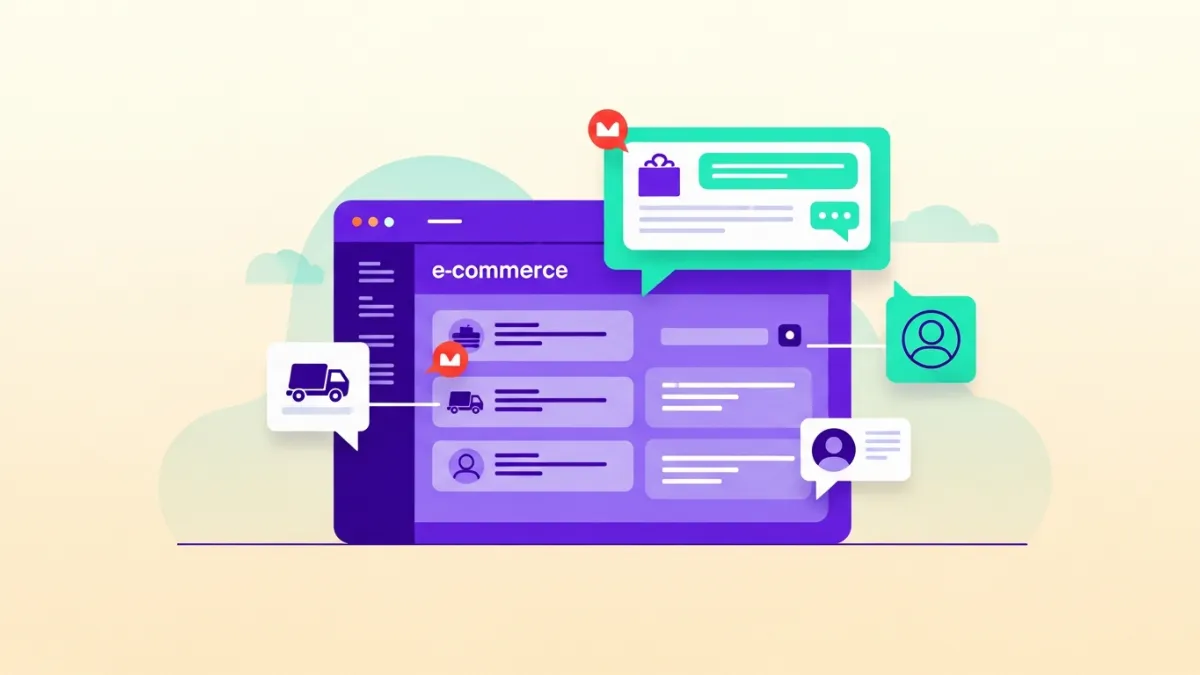
Have you ever purchased a product online, then spent the following hours anxiously checking your email or tracking the shipment? This common experience is a nightmare for your customers and a costly burden for your e-commerce store. In the fast-paced world of e-commerce, order notifications are no longer a luxury; they are a critical necessity for the success of any WooCommerce store. Imagine if every customer order update reached them instantly on WhatsApp, the app they use daily, without the need to search or call. This is precisely what **WooCommerce WhatsApp integration** offers: a direct and efficient bridge between your store and your customers, ensuring complete transparency and fostering trust and loyalty.
Why is WooCommerce WhatsApp Integration a Necessity for Your Store?
In today's digital landscape, where competition is fierce and customer expectations are constantly rising, instant and personalized communication is key to standing out. Stores that rely solely on email for order updates often face issues such as spam folders, undelivered messages, or simply being ignored. In contrast, WhatsApp boasts open rates of up to 98%, making it the optimal channel to ensure your messages reach your target audience, especially in the Middle East and North Africa (MENA) region.
Integrating WhatsApp with your WooCommerce store isn't just about sending notifications; it's a strategic investment in customer experience and satisfaction. When customers receive instant updates about their order – whether it's a confirmation, shipping information, or even a potential delay – they feel reassured and valued. This significantly reduces the volume of customer service inquiries, freeing up your support team to focus on more complex issues. Moreover, transparent communication builds trust, encouraging customers to return and purchase from you repeatedly.
Furthermore, **WooCommerce WhatsApp integration** gives your store a powerful competitive advantage. While many competitors still rely on traditional methods, you can offer a seamless and innovative customer experience. This not only enhances the loyalty of existing customers but also attracts new ones looking for a modern and convenient shopping journey. It's a step towards smart automation that benefits both your customers and the efficiency of your operational processes.
Types of Order Notifications You Can Send via WhatsApp
There are various types of notifications a WooCommerce store can send via WhatsApp, each playing a vital role in building an exceptional customer experience. Through smart automation, you can ensure customers receive the right information at the right time, reducing anxiety and increasing satisfaction.
- Order Confirmation: As soon as a customer completes a purchase, an instant confirmation message can be sent, including the order number, product summary, and payment details. This message reassures the customer and confirms the successful transaction.
- Order Status Updates: When the order status changes (e.g., "Processing," "Shipped," "Out for Delivery"), an automatic notification can be sent. This gives the customer a sense of control and continuous awareness.
- Shipping and Tracking Notifications: After the order is shipped, a direct tracking link can be sent along with the shipping company's name. This allows the customer to follow their order's journey step by step until it arrives.
- Delivery Confirmation: Once the order is successfully delivered, a confirmation message can be sent to the customer, positively concluding the purchase cycle and opening the door for product reviews.
- Payment Notifications: In case of a payment issue or the need for additional payment confirmation, instant notifications can be sent via WhatsApp to expedite problem resolution and avoid order delays.
- Abandoned Cart Reminders: These are among the most powerful conversion notifications. When a customer adds products to their cart but leaves the store without completing the purchase, a smart WhatsApp bot can send a personalized reminder after a certain period, with a direct link to complete the purchase, significantly boosting the chances of recovering lost sales.
These notifications ensure that customers stay informed, reducing their need to contact the support team and improving their overall experience. Each message can be customized to include the customer's name and order details, adding a personal touch that strengthens the relationship with your store.
Practical Steps for WooCommerce WhatsApp Integration with LetsBot
Integrating your WooCommerce store with WhatsApp via the LetsBot platform is a simple and straightforward process, designed to enable you to start sending instant notifications and improve your customer experience in record time. As an official Meta Business Partner, LetsBot ensures a secure and reliable integration experience.
- Subscribe to LetsBot and Get Your WhatsApp Business API: Start by creating an account on the LetsBot platform. LetsBot will assist you in setting up and activating your store's official WhatsApp Business API. This is the gateway that allows your store to communicate securely and at scale via WhatsApp. This step includes verifying your Facebook Business account and activating a WhatsApp number.
- Connect Your WooCommerce Store to LetsBot: After API activation, LetsBot will provide you with seamless integration tools for WooCommerce. This is typically done via a dedicated WooCommerce plugin or by using API keys to link the two platforms. Follow the detailed instructions in the LetsBot dashboard to connect your store. This connection allows LetsBot to securely and authorizedly access your store's order data (such as order status, product details, customer information).
- Set Up Approved Message Templates: To send messages via the WhatsApp Business API, these messages (templates) must be pre-approved by Meta. LetsBot offers a library of ready-to-use templates for common WooCommerce notifications (order confirmation, shipping, delivery, etc.), or you can create your own custom templates. Customize these templates to match your store's language and branding, including necessary variables such as customer name, order number, and tracking link.
- Configure Automation Rules:
Now, it's time to define when each notification should be sent. In the LetsBot dashboard, you can set up simple and effective automation rules. For example:
- "When the order status changes to 'Shipped,' send the 'Shipped' template to the customer."
- "When 24 hours pass for an abandoned cart, send the 'Cart Reminder' template to the customer."
- Test and Activate: Before launching the system fully, conduct comprehensive tests. Place test orders in your store and ensure all notifications are delivered correctly and on time. Verify that links are working and dynamic data (such as the order number) appears correctly in the messages. Once everything is confirmed, activate the system to start providing an exceptional customer experience.
With LetsBot, you'll receive full 24/7 Arabic support to assist you through every step of this integration, ensuring a smooth and efficient transition.
Competitive Advantages of LetsBot in WooCommerce WhatsApp Notifications
When you choose LetsBot for **WooCommerce WhatsApp integration**, you don't just get a tool for sending notifications; you gain a technical partner committed to delivering the highest levels of quality and effectiveness. Our platform is designed to meet the needs of e-commerce stores in the Middle East and North Africa, with a focus on performance, security, and ease of use.
- Official Meta Business Partner: We are an officially certified Meta partner, ensuring that all our services comply with the highest WhatsApp standards and giving you confidence that your communication with customers is through an official and secure channel.
- Seamless Integration with WooCommerce and More: In addition to robust integration with WooCommerce, LetsBot also supports integrations with other leading e-commerce platforms in the region, such as Salla and Zid, making it an ideal solution for any online store.
- Automated and Smart Notifications: Automate the sending of order notifications such as order confirmations, shipping updates, and abandoned cart reminders. Our platform ensures your messages reach customers at precisely the right time, enhancing their satisfaction and reducing the workload on your support team.
- Exceptional 24/7 Technical Support in Arabic: We understand the importance of fast and effective support, which is why we offer technical support available 24/7 in Arabic. Our team is always ready to assist you with any inquiries or issues you may encounter.
- Regional and Global Compliance: LetsBot adheres to global data protection standards such as GDPR, as well as compliance with local regulations in the region like CITC in Saudi Arabia, TDRA in the UAE, NTRA in Egypt, and others. This gives you peace of mind regarding your customers' data privacy.
- Free LetsBot MCP: We provide a LetsBot MCP server — free with any API plan, saving you additional costs and ensuring a robust and reliable infrastructure for managing your WhatsApp messages.
- Multi-Agent Inbox (Live Chat): It's not limited to automated notifications; LetsBot also offers a shared inbox that allows your entire team to efficiently manage live WhatsApp conversations with customers, providing an integrated support experience.
By choosing LetsBot, you are selecting a platform that combines advanced technology, dedicated support, and regional expertise to deliver unparalleled WhatsApp Business solutions for your WooCommerce store.
Beyond Notifications: How a WooCommerce Bot Transforms the Customer Experience?
While instant order notifications are a cornerstone of improving customer experience, the potential of a **WooCommerce bot** powered by WhatsApp extends far beyond merely sending updates. The complete LetsBot platform can revolutionize how you interact with your customers, introducing new levels of personalization and efficiency.
1. Smart Abandoned Cart Recovery
Abandoned carts are a significant challenge for e-commerce stores. LetsBot's WhatsApp bot can track abandoned carts and send automated, personalized reminder messages to customers. These messages can include images of the abandoned products, special offers to encourage completion, or even instant assistance if the customer is facing an issue. This interactive approach significantly increases cart recovery rates and turns lost sales into real revenue.
2. 24/7 Customer Support
With a WhatsApp bot trained on your store's data, customers can get instant answers to their frequently asked questions at any time. Whether it's about product information, return policies, or order status, the bot can handle these inquiries efficiently, reducing pressure on the human support team and improving response times. And when a customer needs more complex assistance, the bot can seamlessly transfer the conversation to a human support agent via the multi-agent live chat inbox.
3. Sending Personalized Offers and Recommendations
A WooCommerce bot can analyze customer purchasing behavior and provide personalized product recommendations or notify them of new offers that might interest them. Imagine sending a notification to a customer who previously bought a specific product, informing them about new accessories for that product or a newer version. These targeted interactions not only increase the likelihood of purchase but also deepen the relationship between the customer and your store.
4. Identity Verification (OTP) via WhatsApp
To enhance security and user experience, WhatsApp can be used to send one-time password (OTP) verification codes for confirming transactions or logging in. This ensures a quick and secure verification process, leveraging WhatsApp's reliability as a communication channel.
In summary, a **WooCommerce bot** with LetsBot represents a radical transformation in how you manage your e-commerce store. It's not just a tool for sending notifications; it's a virtual assistant that works around the clock to boost sales, improve customer service, and build unwavering loyalty.