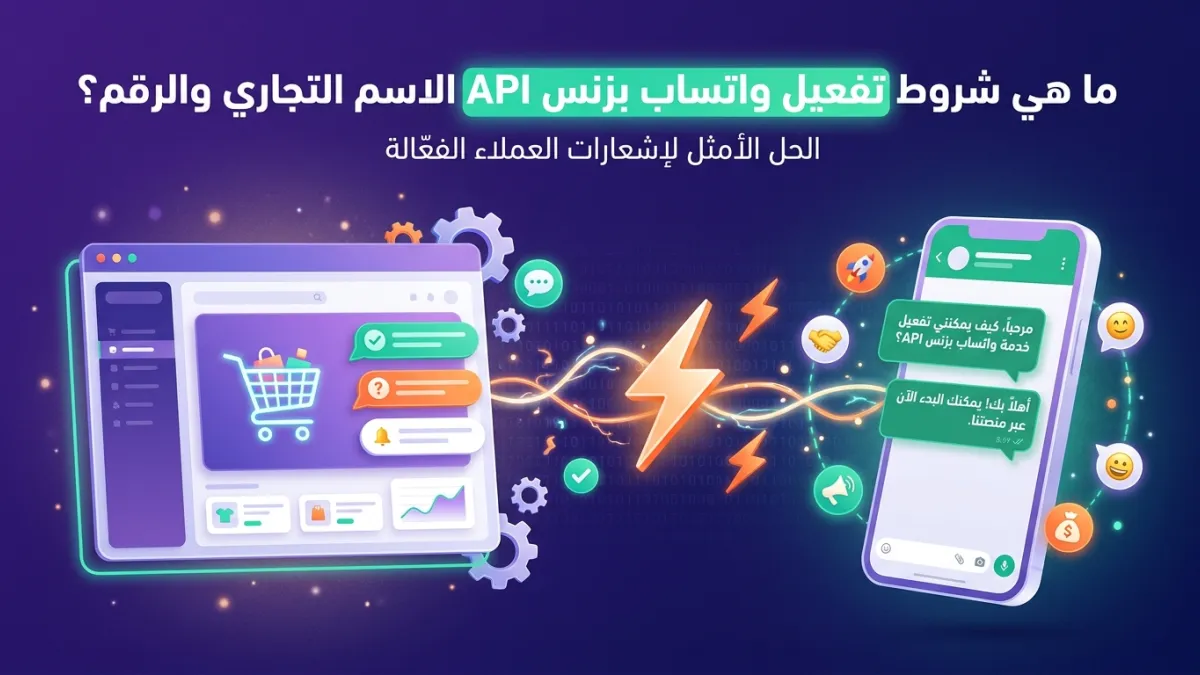
Have you ever wondered why some businesses on WhatsApp seem to operate with a completely different system? Instant automated messages, 24/7 customer support, precise order notifications, and marketing campaigns reaching thousands in an instant? The secret lies in activating WhatsApp Business API. But before diving into the world of unlimited features, many business owners face a fundamental question: What are the exact conditions and requirements for activating this powerful tool, especially concerning the business display name and phone number?
In this comprehensive guide, we will unveil all WhatsApp API requirements, from the basic criteria for a business account to the minute details regarding choosing your business display name and phone number. We will show you how to successfully navigate these challenges and how an official partner like LetsBot can simplify this complex process for you, enabling you to unlock the full potential of WhatsApp Business API and transform the way you communicate with your customers.
Why Activating WhatsApp Business API Has Become a Business Imperative?
In today's business world, using WhatsApp is no longer just an option; it has become a fundamental pillar for effective communication. However, the traditional WhatsApp Business app, while useful for small businesses, lacks the scalability and automation capabilities needed by larger, growing enterprises. This is where WhatsApp Business API comes in, offering a comprehensive solution that meets these needs.
The API (Application Programming Interface) allows you to integrate WhatsApp directly with your existing business systems, such as Customer Relationship Management (CRM) systems, e-commerce platforms (Salla, Zid, WooCommerce), and even payment systems (Stripe, PayTabs). This integration opens wide doors for automation, from sending order status notifications and payment confirmations to automatically recovering abandoned shopping carts, and even running AI-powered chatbots that respond to customer inquiries 24/7.
The ability to send targeted bulk message campaigns and manage multiple customer conversations via a shared inbox (Live Chat) with several agents makes activating WhatsApp Business API a strategic step towards enhancing customer experience and increasing operational efficiency. If you're wondering about the fundamental difference between WhatsApp Business and API, the latter is designed for growth and large-scale operations, ensuring compliance with Meta's policies and customer data protection.
Essential Requirements for Activating a WhatsApp Business API Account
Activating WhatsApp Business API is not just a technical process; it requires compliance with a set of conditions imposed by Meta to ensure a reliable and secure operating environment. These conditions aim to verify the legitimacy of your business and ensure your adherence to usage policies. Here are the most prominent ones:
1. Meta Business Account
You must have a verified Meta Business Account (formerly known as Facebook Business Manager). This account is the control center for all your business assets across Facebook, Instagram, and WhatsApp. The verification process requires submitting official documents to prove the existence of your business, such as:
- Valid business license: Must be issued by the competent government authorities in your country.
- Commercial registration: Showing the company's legal name and activity.
- Utility bills: Such as electricity, water, or phone bills, bearing the company's name and address.
- Bank statements: Issued in the company's name.
These documents aim to confirm that you are a real business entity operating legally. The verification process can take time, so it's advisable to start it early.
2. Compliance with WhatsApp Commerce Policy
Before you can activate WhatsApp Business API, your business must comply with WhatsApp's Commerce Policy and Meta's messaging policies. These policies define the types of products and services allowed for sale or promotion on the platform, as well as rules regarding how to communicate with customers. For example, some industries (such as the sale of weapons, drugs, tobacco, or alcohol) are strictly prohibited. There are also restrictions on unsolicited promotional messages (spam).
Carefully reviewing these policies is vital to avoid any future account suspension. An official partner like LetsBot can help you understand these policies and ensure your compliance, saving you a lot of potential trouble.
Requirements for Business Display Name and Phone Number
When activating WhatsApp Business API, the business display name and phone number are just as crucial as verifying your business. They are your interface that customers see and must adhere to specific standards to ensure credibility and professionalism.
1. Business Display Name: Your WhatsApp Interface
The business display name is the name that will appear to your customers in WhatsApp chats, not just your account name. This name must be clear, distinctive, and reflect your brand identity. Here are the key requirements:
- Match legal name: The display name must be identical or very similar to your company's legal name as registered in the commercial registry or official licenses. This ensures credibility and prevents impersonation.
- No generic words: The display name cannot be a generic word like "Store," "Services," or "Sales." It must be a specific company name.
- No other trademarks: You cannot use another company's trademark in your display name.
- No excessive emojis or special characters: Some simple symbols are allowed, but excessive use or unusual special characters may lead to rejection.
- Clarity and professionalism: The display name must be easy to read and understand, reflecting your business's professionalism.
The business display name is reviewed and approved by Meta. The approval process can take some time, and Meta may request modifications if it does not meet the criteria. An official partner like LetsBot can guide you through this process to increase your chances of approval on the first attempt.
2. Phone Number: Your Gateway to Customer Communication
Choosing the right phone number for WhatsApp Business API is a crucial step. The number must be dedicated to business and reflect your professionalism. Here are the essential requirements:
- Dedicated phone number: It is preferable to use a new phone number or one exclusively dedicated to your business. Using a personal number is not recommended.
- Not previously used on regular WhatsApp Business: If the number is already in use on the standard WhatsApp Business app, it must be disconnected from the app before being linked to the API. This migration process requires precise steps to ensure no data or conversations are lost.
- Valid and active number: The number must be valid, active, and capable of receiving SMS messages or phone calls for verification purposes.
- National or international number: It can be a local number in your country (such as Saudi Arabia or UAE) or an international number, as long as it follows the standard number format.
LetsBot simplifies the process of linking your existing phone number to the API or even helps you acquire a new number if necessary, ensuring that all procedures are carried out smoothly with minimal disruption to your operations.
Technical Aspects and Initial Setup for WhatsApp Business API Activation
Once the basic requirements related to business identity and phone number are met, we move on to the technical aspects that ensure WhatsApp Business API operates efficiently and effectively. These aspects might seem complex, but a Business Solution Provider (BSP) like LetsBot makes them incredibly easy.
1. WhatsApp Business Account (WABA)
To access WhatsApp Business API, you need to create a WhatsApp Business Account (WABA). This account links your business to the API and contains your business profile, message templates, and billing settings. Typically, this account is created and managed through a Meta-approved Business Solution Provider (BSP), like LetsBot, who simplifies this process for you and ensures correct setup from the start.
2. MCP Server (Meta Cloud API)
To operate WhatsApp Business API, you need a server that processes, receives, and sends messages. Previously, businesses had to host their own servers (On-Premise API), which required significant technical resources. Now, Meta offers a Cloud API solution (also known as MCP Server) that hosts the interface on its cloud servers. This significantly reduces the technical and operational requirements for businesses.
LetsBot offers you a LetsBot MCP Server — free with any API plan, meaning you don't have to worry about hosting or technical maintenance. We handle everything, allowing you to focus on your business and effortlessly communicate with your customers.
3. Integration with Your Business Systems
The true power of WhatsApp Business API lies in its ability to integrate with your existing systems. LetsBot provides ready-made integrations with leading e-commerce platforms in the region and globally, such as:
- E-commerce platforms: Seamless integration with Salla, Zid, and WooCommerce to connect your store directly to WhatsApp, enabling order notifications, shipping updates, and abandoned cart recovery.
- Payment gateways: Support for integration with Stripe and PayTabs to streamline the payment process and send payment confirmations via WhatsApp.
- Live Chat: The LetsBot platform provides a unified multi-agent inbox to efficiently manage all customer conversations, ensuring no inquiry is missed.
- AI Chatbots: Ability to build and train an AI-powered WhatsApp chatbot to respond to frequent inquiries, provide technical support, and even complete sales, 24/7.
Step-by-Step Activation Process with LetsBot
The conditions for activating WhatsApp Business API might seem complex at first glance, but with a trusted partner like LetsBot, the process becomes smooth and straightforward. As an official Meta-approved partner, we are here to simplify every step for you:
- Registration and package selection: Start by registering on the LetsBot platform and choosing the package that suits your business size and needs. We offer flexible packages to meet various requirements.
- Linking your Meta Business Account: We will guide you step-by-step to link your Meta Business Account to our platform and ensure you meet all company verification requirements.
- Setting up your display name and phone number: We help you choose and submit a business display name that complies with WhatsApp policies, and link your dedicated phone number to the API, facilitating the migration process if the number was previously used.
- WABA and MCP Server activation: We take responsibility for setting up your WhatsApp Business Account and activating the MCP server for free, saving you time and technical effort.
- Integration and training: After activation, we help you integrate WhatsApp Business API with your existing systems (such as Salla, Zid, and WooCommerce) and train your team to effectively use the LetsBot platform, including features like bulk messaging, live chat, and building AI chatbots.
- Continuous support: We provide 24/7 technical support in Arabic to ensure business continuity and resolve any issues you may encounter quickly and efficiently.
With LetsBot, you can rest assured that the WhatsApp Business API activation process will be smooth, ensuring compliance with all regional (such as CITC, TDRA, NTRA, CITRA, CRA, TRA) and global (GDPR) conditions and regulations, allowing you to focus on what truly matters: growing your business and serving your customers as best as possible.