
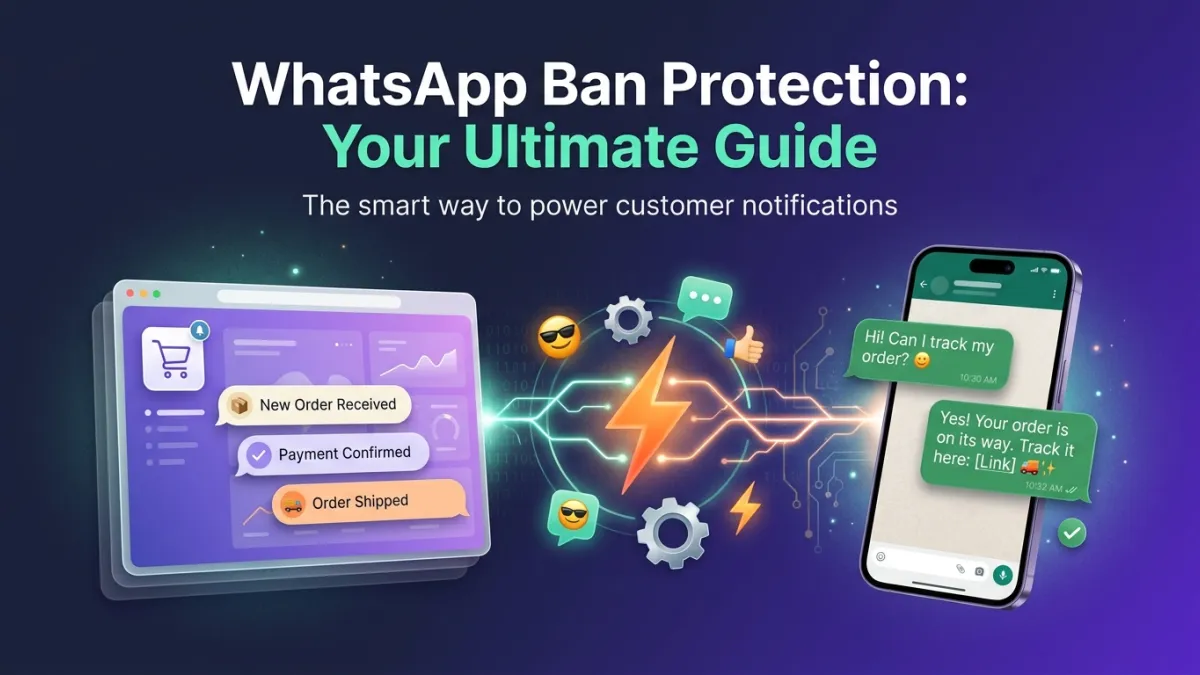
Imagine waking up to find that your company's main WhatsApp number, the lifeline connecting you to thousands of customers, has been banned. No warnings, no explanations, just a sudden halt to your communications. For businesses heavily reliant on WhatsApp, this isn't just a minor inconvenience; it could mean a real catastrophe, threatening your reputation, sales, and ability to serve your customers. How can your company avoid this nightmare? And how do you ensure WhatsApp number ban protection while maintaining strong and fruitful engagement with your customers? This comprehensive guide will provide you with the answers.
Understanding WhatsApp Policies: Why Are Numbers Banned?
WhatsApp, as a global communication platform with billions of users, sets a strict set of policies to ensure a safe user experience free from spam or fraud. These policies, known as WhatsApp Business Policy and Terms of Service, govern how individuals and businesses use the platform. If these policies are violated, WhatsApp does not hesitate to impose a ban, which can be temporary or permanent. The primary goal is to prevent behaviors that harm users, such as spamming, fraud, or distributing illegal or harmful content.
Common violations that lead to number bans include sending too many messages to users who have not opted-in, sending excessive and unsolicited promotional content, or receiving a large number of ban reports from users. Furthermore, using unofficial versions of WhatsApp (such as WhatsApp GB or WhatsApp Plus) exposes your number to the risk of immediate and permanent ban, as these apps do not guarantee security or compliance. Therefore, understanding and adhering to these rules is the first and fundamental step towards protecting your WhatsApp number from a ban.
The impact of a ban extends beyond merely losing the ability to send messages; it damages your brand's reputation, deprives you of vital communication channels with customers, and can lead to significant financial losses due to the halt of WhatsApp-dependent business operations. WhatsApp always emphasizes the importance of building trust-based relationships with customers. This means obtaining their explicit consent before sending messages, providing genuinely valuable content, and responding to their inquiries quickly and efficiently. Businesses that adopt these practices not only protect their numbers but also build strong brand loyalty and ensure business continuity.
Best Practices to Avoid a Ban: How to Protect Your Number?
It's not just about avoiding bans, but about building a healthy and sustainable communication strategy that ensures a positive experience for your customers. To ensure WhatsApp number ban protection, businesses must adopt a set of professional practices that focus on user experience and added value. Here are the most prominent of these practices that answer the question "How do I protect my number from being banned?":
- Obtain Explicit Consent (Opt-in): This is the golden, non-negotiable rule. Customers must clearly agree to receive messages from you. This can be done via registration forms on your website, through an initial chat with a WhatsApp bot, or by checking an "Receive WhatsApp notifications" box upon completing a purchase. Without this consent, you expose yourself to a significant risk of being reported.
- Provide Valuable Content: Avoid sending purely promotional messages continuously. Focus on providing your customers with useful information, order updates, tips related to your products or services, or exclusive offers that they perceive as valuable. This reduces the likelihood of your messages being reported and makes them look forward to your content.
- Avoid Spam and Excessive Repetition: Do not send the same message to too many people at once without personalization. Use bulk sending tools with extreme caution and ensure your target audience is genuinely interested in the content. Excessive repetition of the same or similar messages within a short period can lead to a ban.
- Regularly Monitor Performance Metrics: Keep an eye on your message block and report rates, as well as delivery and open rates. If you notice a rise in block rates or a drop in engagement, it's an indicator that your strategy needs immediate revision.
- Respond Promptly to Inquiries: When customers contact you, ensure you respond quickly and efficiently. This builds trust and reduces frustration that might lead them to report your number. Platforms like LetsBot provide a multi-agent WhatsApp inbox to ensure no message is missed.
- Avoid Prohibited Content: Do not send any content that WhatsApp deems illegal, violent, discriminatory, pornographic, or inappropriate. Also, avoid messages promoting prohibited products or services such as weapons, tobacco, alcohol, drugs, or illicit pharmaceutical products.
By following these guidelines, you can build a strong and sustainable relationship with your customers via WhatsApp, while ensuring your number is not subjected to a ban.
The Role of WhatsApp Business API in Enhancing Protection and Compliance
To achieve long-term and efficient WhatsApp Business protection, relying on the regular WhatsApp Business App is not sufficient if you have a large customer base or ambitions for growth. The optimal solution is to use the Official WhatsApp Business API, offered by platforms like LetsBot as an official Meta partner. The API differs fundamentally from the regular app and provides an additional layer of protection and compliance that unofficial solutions lack, thereby ensuring WhatsApp number ban protection.
When using the API, you operate within a regulated and WhatsApp-approved environment. This means you are less susceptible to bans due to behaviors that might raise suspicion in the regular app or unofficial solutions. Here's how the API helps enhance protection:
- Approved Template Messages: The API mandates the use of pre-approved WhatsApp template messages for business-initiated outbound messages (e.g., order updates, shipping notifications, appointment reminders). This ensures content adheres to policies and reduces spam risks, as each template is manually reviewed before approval.
- Clear and Reliable Opt-in System: The API encourages and enforces clear mechanisms for obtaining customer consent, which reduces the likelihood of messages being reported and provides clear records of consent.
- Control Over Message Volume and Senders: The API allows for much more efficient management of message volume sent compared to the regular app, helping to avoid exceeding limits that could lead to suspicion. It also supports multiple teams and agents without jeopardizing the number.
- Access to Official Support: As an API user through an official partner like LetsBot, you gain access to better and faster support should any issue or inquiry arise regarding your number, which helps in avoiding a WhatsApp ban.
- Advanced and Secure Automation Capabilities: The API allows you to automate many routine tasks such as order status notifications, abandoned cart recovery, or identity verification via OTP, but in a structured manner that complies with policies. This automation helps improve customer experience without compromising security.
In summary, using the WhatsApp Business API is not just a way to expand your business; it's an investment in the security and sustainability of your WhatsApp communication channels, ensuring a safe and reliable operating environment for you.
What to Do If Your Number Is Banned? And How to Prevent It From Happening Again?
Even with the best practices, some may face a ban on their numbers, whether by mistake or as a result of an unintentional violation. Knowing how to act in such a situation is crucial to minimize damages and restore your account. If your number is banned, you will see a message stating, "Your phone number is banned from using WhatsApp. Please contact support for help."
- Don't Despair: In many cases, a ban is temporary or appealable. Don't assume your number is lost forever.
- Contact Support: The first step is to contact WhatsApp support immediately. You can do this by clicking "Support" on the ban screen itself when trying to log in, or via email (support@whatsapp.com). Explain the situation clearly, and provide any details that might help prove you didn't intentionally violate policies. Be polite and specific in your request, and avoid any aggressive language.
- Review Your Messages and Behavior: While you await a response, review your recent message history (if available) and your WhatsApp behaviors. Is there anything that might have been misunderstood? Did you send any excessive promotional content? Was there an unusual surge in message volume? Did you receive customer complaints? Identifying the potential cause will help you avoid recurrence.
- Stop Suspicious Behaviors: If you were using any unofficial tools, unauthorized bulk sending, or any practices that do not comply with WhatsApp policies, stop immediately.
- Await a Response and Follow Up: It may take a few days to receive a response from WhatsApp support. Be patient and regularly check your email. In some cases, they may ask for additional information or clarifications.
After your number is restored, the most important thing is to avoid a WhatsApp ban again. Conduct a comprehensive review of your communication strategy. Invest in an official platform like LetsBot's complete platform that provides you with the necessary tools and compliance. Ensure all your teams are aware of WhatsApp's policies and follow the best practices mentioned above. Remember that prevention is better than cure, and investing in compliance saves you a lot of time, effort, and potential losses in the long run.
How LetsBot Supports You in Protecting Your WhatsApp Number from a Ban?
As an official Meta Business Partner, LetsBot is committed to the highest standards of security and compliance to ensure WhatsApp number ban protection for its clients. We provide an infrastructure specifically designed to meet and exceed WhatsApp's stringent requirements, giving you peace of mind and the ability to focus on growing your business. Here's how LetsBot supports you on your journey towards secure and fruitful communication:
- Official WhatsApp Business API Platform: We provide you with access to the Official WhatsApp Business API, which ensures all your communications take place within a WhatsApp-approved framework. This eliminates the risks of using unofficial solutions that expose your number to a ban and gives you confidence in the sustainability of your channels.
- Regional and International Compliance Support: We understand the importance of complying with local and international laws. Our platform is designed to comply with regional regulations such as CITC in Saudi Arabia, TDRA in UAE, NTRA in Egypt, CITRA in Kuwait, CRA in Qatar, and TRA in Bahrain, in addition to GDPR. This ensures your operations comply with all relevant laws.
- Advanced and Secure Message Management: LetsBot helps you manage bulk sending campaigns in a smart and secure way, focusing on approved template messages and obtaining customer consent, significantly reducing the likelihood of your messages being reported. We also provide tools to monitor the performance of your campaigns.
- Free MCP System: We offer the LetsBot MCP system — free with any API plan, which is an essential component for maintaining the quality and performance of your WhatsApp account by continuously monitoring messages and interactions.
- 24/7 Arabic Customer Support: Our dedicated support team is available around the clock to assist you with any inquiries or issues you may encounter, including providing guidance on best compliance practices and resolving any ban-related problems quickly and effectively.
- Robust and Reliable Integrations: Whether you use Salla, Zid, WooCommerce, Magento, HubSpot, Pipedrive, Stripe, or PayTabs, LetsBot provides seamless integrations that help you automate your operations in a secure and WhatsApp-compliant manner. From order status notifications and abandoned cart recovery to identity verification via OTP and building custom AI bots, all are done within a secure framework.
With LetsBot, you don't just get a platform; you get a partner committed to protecting your digital assets and helping you build strong, reliable relationships with your customers via WhatsApp, ensuring the continuity and growth of your business with confidence.