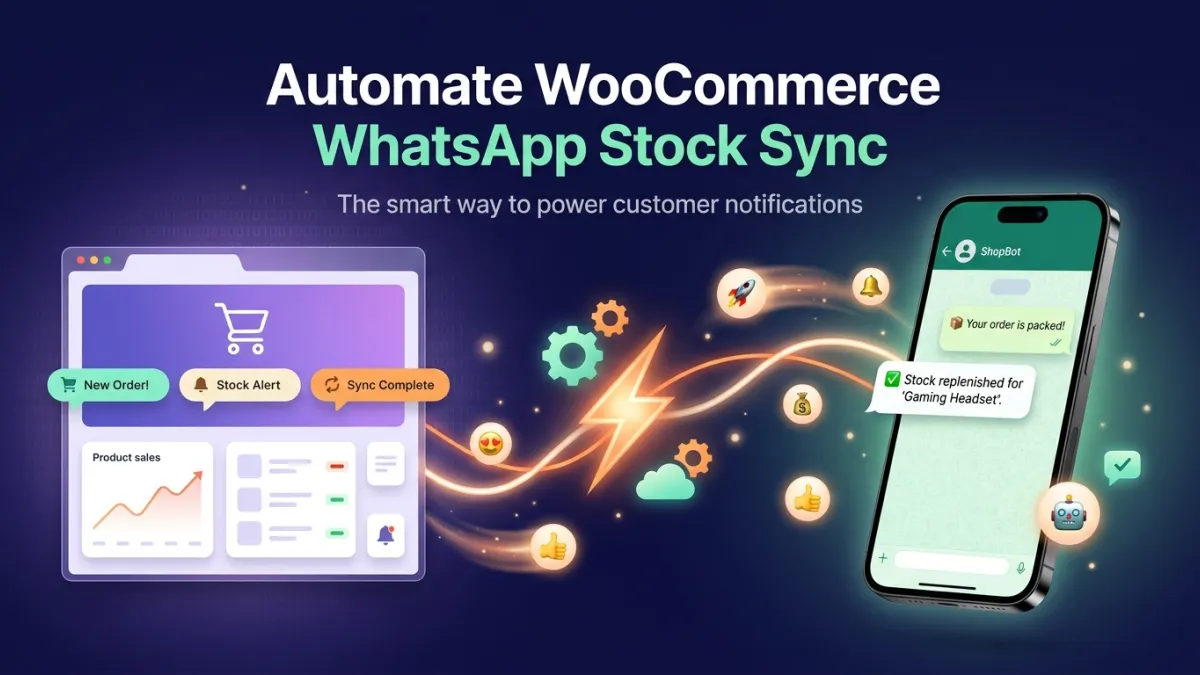
Have you ever faced a frustrating situation where a customer ordered a product from your WooCommerce online store, only to discover later that the item was already out of stock? This scenario is not uncommon in the world of e-commerce and can lead to customer disappointment and lost sales. In competitive markets like Egyptian e-commerce and the GCC, efficiency and accuracy in operations management become crucial. This is where the importance of WooCommerce WhatsApp inventory sync emerges as a pivotal solution, ensuring your inventory is updated in real-time and keeping your customers constantly informed.
A lack of synchronization between your store and the communication platforms you use to interact with customers can cost you dearly. Inaccurate inventory not only leads to canceled orders but also damages your brand's reputation. Imagine a customer contacting you via WhatsApp to inquire about a product, and you provide incorrect information due to outdated inventory. This is the challenge that WooCommerce WhatsApp inventory sync aims to solve, by providing a seamless and reliable shopping experience for both customer and merchant alike.
The Importance of WooCommerce WhatsApp Inventory Sync for Your Online Store
In the fast-paced world of e-commerce, effective inventory management is the backbone of success. Without an accurate system for tracking products, opportunities can quickly turn into challenges. WooCommerce WhatsApp inventory sync is not just an added feature; it's a strategic necessity to ensure your inventory data is up-to-date and available to customers in real-time.
Imagine you're managing a thriving store in Saudi Arabia or the UAE, relying on WhatsApp as a primary means of communication with your customers. If your WooCommerce inventory doesn't automatically sync with the information you provide via WhatsApp, you risk selling unavailable products or missing sales opportunities for available products that appear as "out of stock." This inconsistency negatively impacts the customer experience and reduces their trust in your store. Solutions like LetsBot, an official Meta Business Partner, enable you to achieve this synchronization seamlessly, enhancing your operational efficiency and elevating customer satisfaction.
How WooCommerce WhatsApp Inventory Sync Revolutionizes Your Operations
The benefits of WooCommerce WhatsApp inventory sync go beyond simply updating numbers; it reshapes your entire operational workflow. When your WooCommerce store integrates with WhatsApp via a powerful platform like LetsBot, you unlock a range of operational and marketing enhancements that boost your profits and improve customer experience.
Let's explore the key ways this synchronization makes a real difference:
- Real-time Inventory Updates: No longer do you need to manually update inventory on both platforms. Once a product is sold on WooCommerce, its status is automatically updated on WhatsApp, and vice versa. This prevents common errors like selling unavailable products or showing available products as "out of stock."
- Enhanced Customer Experience: Customers receive accurate and instant information about product availability through their preferred channels. This reduces frustration and builds trust in your store. You can also send automatic alerts to customers when products they were waiting for become available.
- Increased Operational Efficiency: Automatic synchronization reduces the need for manual intervention, saving your team time and effort. They can focus on higher-value tasks instead of repetitive inventory updates.
- Abandoned Cart Recovery: With accurate inventory, you can send proactive messages to customers who have left items in their cart, confirming product availability and encouraging them to complete their purchase, thus increasing conversion rates.
- Improved Demand Forecasting Accuracy: With accurate and continuously updated inventory data, you can better analyze purchasing patterns and forecast future demand, helping you make more informed purchasing and stocking decisions.
LetsBot's Role in Achieving Efficient WooCommerce WhatsApp Inventory Sync
LetsBot offers a comprehensive solution for WooCommerce WhatsApp inventory sync, specifically designed to meet the needs of e-commerce businesses in the MENA region. As an official Meta Business Partner, we guarantee the use of the official WhatsApp Business API, providing you with the reliability, security, and advanced features you need.
LetsBot's integration with WooCommerce allows you to easily connect your store and start benefiting from instant inventory synchronization. But it doesn't stop there; our platform offers a wide range of tools that enhance your capabilities in inventory management and customer communication:
LetsBot Features Supporting Inventory Sync and Communication:
- Direct WooCommerce Integration: Seamless connection to your WooCommerce store to ensure instant updates for inventory and orders.
- Order Status Update Messages: Send automated notifications to customers via WhatsApp about their order status (shipped, delivered, etc.), with implicit inventory updates.
- Abandoned Cart Recovery: Automate reminder messages for customers who left items in their cart, based on actual inventory availability.
- Smart WhatsApp Bot (AI Chatbot): Train your bot to answer customer inquiries about product availability in real-time, reducing the burden on your customer service team.
- Multi-Agent Live Chat: Allow your team to handle complex customer inquiries directly, with access to updated inventory data to provide accurate answers.
- Bulk Messaging Campaigns: Send special offers or alerts about specific product availability to targeted customer segments, leveraging accurate inventory data.
Through these features, LetsBot not only ensures WooCommerce WhatsApp inventory sync but also empowers you to build stronger customer relationships and elevate your operational efficiency like never before. We also provide 24/7 technical support in Arabic, ensuring you get assistance whenever you need it.
Best Practices for Maximizing WhatsApp Inventory Sync Benefits
To get the most out of WooCommerce WhatsApp inventory sync, simply activating the integration isn't enough; it requires implementing smart practices that enhance system efficiency and improve customer experience. Here are some essential tips:
- Regular Monitoring: Although the system is automated, it's good practice to conduct periodic inventory audits to match data between WooCommerce and WhatsApp and verify synchronization accuracy.
- Personalize Messages: Use available data to personalize WhatsApp messages. For example, you can send alerts about a product a customer showed interest in, or special offers on complementary products.
- Train Your Team: Ensure your customer service and sales teams are well-trained on how to use the system and leverage updated inventory information to provide the best customer service.
- Leverage Full Automation: Don't just stop at inventory updates. Use automation to send order notifications, abandoned cart reminders, and even OTP messages for identity verification via WhatsApp, to streamline the entire customer journey.
- Gather Feedback: Encourage customers to provide feedback on their shopping and communication experience via WhatsApp. This feedback is invaluable for improving your services.
By implementing these practices, you will not only ensure inventory accuracy but also strengthen customer loyalty and achieve sustainable growth for your online store. Remember that the goal is to build a bridge of trust and transparency with your customers, which effective WhatsApp inventory sync provides.