
Imagine your restaurant operating efficiently around the clock, receiving customer orders, answering inquiries, and booking tables without any delays, even during peak hours. Is this a distant dream? Not anymore! In the fast-paced restaurant world, where every second counts, providing exceptional customer service has become as crucial as the quality of the food itself. How many times have restaurants lost customers due to busy phone lines or slow responses to messages? The need for innovative solutions has become urgent, and this is where the AI WhatsApp Bot Builder with drag-and-drop technology steps in to completely change the game.
Why Restaurants Need to Build a Bot Now More Than Ever?
The restaurant industry in the United Arab Emirates, for example, is experiencing fierce competition and high customer expectations. Customers are increasingly relying on instant messaging channels like WhatsApp to communicate with their favorite restaurants. Instead of making a phone call, many prefer to send a quick message to inquire about the menu, book a table, or even order a ready meal. These rising expectations place significant pressure on restaurants to provide quick and effective responses, which is difficult to achieve by relying solely on staff, especially outside official business hours.
The Official WhatsApp Business API is a powerful tool that enables restaurants to communicate professionally with their customers. However, to maximize the efficiency of this communication, a LetsBot WhatsApp bot becomes an indispensable solution. The bot can handle thousands of inquiries simultaneously, reducing the workload on your team and allowing them to focus on tasks that require a human touch. It's not just about speed; it's about accuracy and continuous availability, ensuring a smooth and enjoyable customer experience every time.
The Power of Drag and Drop: Building Your Restaurant Bot Without Any Coding
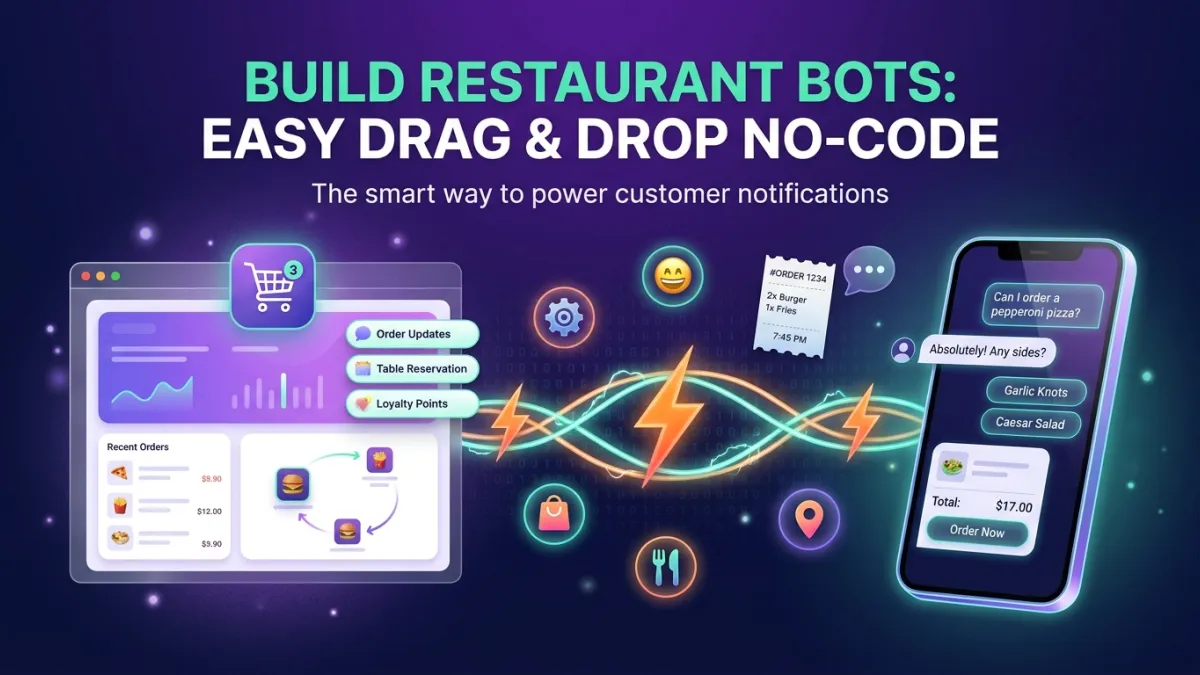
The term "building a bot" might sound complex and intimidating to many restaurant owners who may not have a technical background. However, with the LetsBot platform, this has become incredibly simple thanks to the AI WhatsApp Bot Builder featuring drag-and-drop technology. This intuitive tool allows you to design conversation flows with utmost ease, as if you're arranging digital building blocks. You don't need to write a single line of code, opening the door for any restaurant owner or manager to design a bot that precisely meets their customers' needs.
Imagine being able to add options for ordering food, displaying your menu, or even allowing appointment bookings, all through a clear graphical interface. You can set up automatic responses for frequently asked questions (FAQs), such as business hours or the restaurant's address, and direct customers to a human agent when needed. This flexibility makes the complete LetsBot platform an ideal solution for restaurants looking to enhance customer service without investing in expensive technical resources.
Steps to Build Your Restaurant Bot Using LetsBot
With LetsBot, building a bot no longer requires coding experts. Here are simple steps to create an effective bot for your restaurant:
- Define Your Main Goals: Before you start, determine what you want the bot to achieve for your restaurant. Is it for taking orders, booking tables, answering FAQs, or all of the above? This will help map out the conversation flow.
- Design the Conversation Flow: Use LetsBot's intuitive drag-and-drop interface to outline the conversation path. You can start with a welcome message, then offer options via buttons or lists, such as "View Menu" or "Book a Table."
- Add Responses and Content: For each option the customer chooses, prepare the appropriate response. For example, when "View Menu" is selected, the bot can send a link to your digital menu or display it directly as an interactive list.
- Integrate Booking and Ordering Options: Utilize the in-chat appointment booking feature to allow customers to book tables directly. You can also connect the bot to order management systems like Salla, Zid, or WooCommerce to streamline the ordering process and track order status.
- Customize Conversation Handover: At any stage, the bot can transfer the conversation to a member of your team in Live Chat if human intervention is required, such as for complex inquiries or complaints. Departments and conversation routing can be used to ensure the conversation reaches the appropriate employee.
- Test and Deploy: Before actual deployment, thoroughly test the bot to ensure all paths work smoothly and responses are accurate. Once confirmed, you can activate it to serve your restaurant's customers immediately.
Advanced Features for Your Restaurant Bot with LetsBot
The role of a LetsBot bot isn't limited to automatic responses; it extends to a wide range of features that elevate customer service and user experience in your restaurant:
- Unified Multi-Channel Inbox: In addition to WhatsApp, you can manage messages from Instagram, Facebook Messenger, Telegram, and even email, all from a single inbox. This saves your team's time and ensures no message is missed.
- Advanced AI Integration: Connect your bot with powerful assistants like ChatGPT or Claude to enhance conversation understanding, summarize chats, and even draft complex responses. This adds a layer of intelligence to your interactions.
- WhatsApp Voice Calls: You can receive WhatsApp voice calls for business directly within the LetsBot platform, with call recording and routing to the specialized team, providing an additional reliable communication channel.
- In-Chat Payments: Facilitate the payment process for delivery or booking orders through Stripe or PayTabs integration, providing a seamless customer experience and increasing conversion rates.
- Order Tracking and Abandoned Cart Recovery Messages: Send automatic notifications about order status and remind customers about abandoned shopping carts, boosting sales and reducing lost opportunities.
- Customer Satisfaction Surveys: After each conversation, you can send CSAT and NPS customer satisfaction surveys to measure their satisfaction with the service and identify areas for improvement.
Measuring Performance and Optimizing Your Bot
Once your restaurant bot is deployed, the task doesn't stop there. It's crucial to regularly monitor and analyze its performance to ensure it's achieving its goals. The LetsBot platform provides analytical tools that allow you to see the number of conversations the bot handles, the most common questions, and its efficiency in resolving customer inquiries without human intervention.
You can use this data to identify strengths and weaknesses in your conversation flows. Are there frequently asked questions that the bot isn't answering? Do customers prefer to speak to a human agent at a certain stage? Based on these observations, you can easily modify and update the bot using the drag-and-drop feature, adding new options or refining responses. Remember that bot optimization is an ongoing process, and with each adjustment, its efficiency and effectiveness in serving your restaurant's customers will increase. Don't forget to use the WhatsApp ROI Calculator to clearly evaluate your return on investment.