Have you ever calculated the true cost of missed medical appointments in your clinic or hospital? It's not just about direct revenue loss; it extends to wasted doctor and staff time, disrupted schedules, and frustrated other patients who could have benefited from those slots. Often, the reason is simple: patients forget their appointments or don't receive an effective reminder. But what if I told you there's an easy and effective way to significantly reduce this problem, transforming the challenge of medical appointment confirmation into an opportunity to boost your clinic's efficiency and patient satisfaction?
The Big Challenge in Medical Appointment Management
Managing and confirming medical appointments is a fundamental yet complex daily task in any healthcare facility. Amidst busy doctor schedules and work pressures, missed or unconfirmed appointments can slip through like sand, leaving behind multiple negative impacts. Statistics indicate that medical appointment no-show rates can range from 10% to 30%, a significant percentage that directly affects productivity and revenue.
Beyond financial losses, unconfirmed appointments place a significant administrative burden on reception staff, who spend long hours manually trying to contact patients by phone, often without receiving a response. This effort could be better utilized for other, more crucial tasks related to patient care or service improvement. Furthermore, the negative experience of patients who forget their appointments or don't receive an effective reminder can impact their loyalty and trust in the facility.
Therefore, the need for an effective and reliable medical appointment confirmation system is no longer a luxury but a strategic necessity aimed at improving operational efficiency, increasing patient satisfaction, and ultimately, enhancing the quality of healthcare provided. This is where automation and modern technologies come into play, offering smart and effective solutions.
Why Zapier WhatsApp is the Ideal Solution for Appointment Confirmation?
In today's connected world, WhatsApp has become the preferred communication channel for millions of people in the Middle East and North Africa region and beyond. WhatsApp's message open and read rates significantly surpass those of email or traditional SMS, making it an incredibly powerful tool for confirming medical appointment bookings.
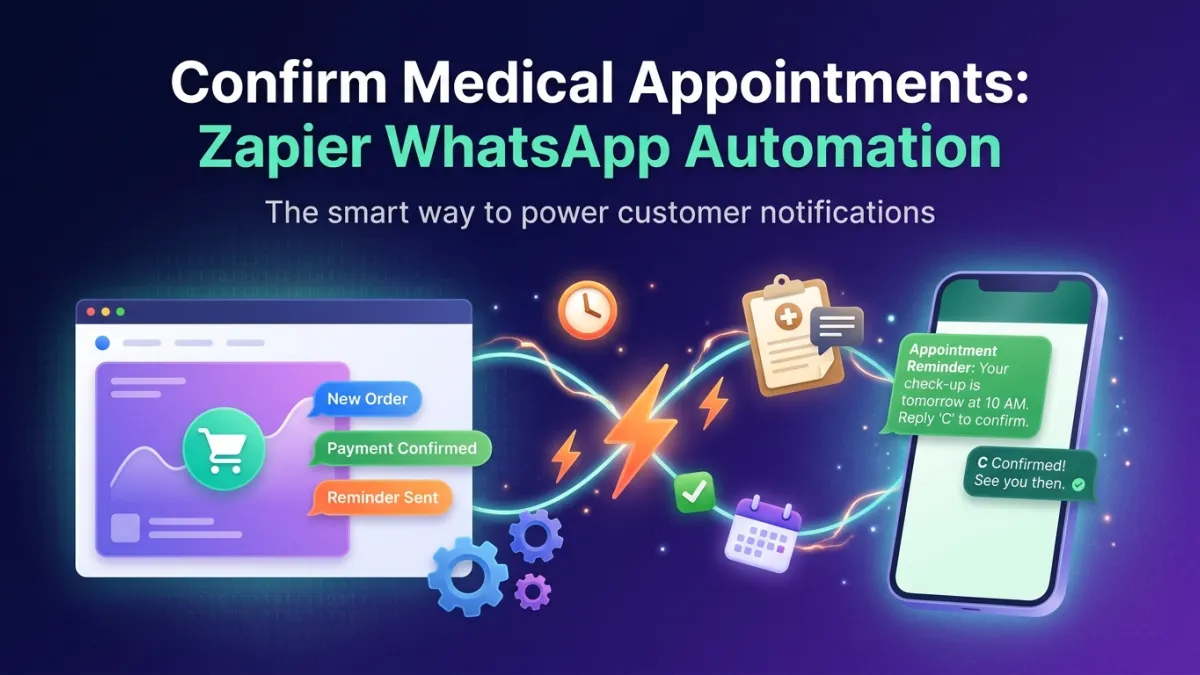
However, the challenge lies in how to automatically connect your existing appointment management system (such as clinic software or Google Calendar) to WhatsApp. This is where connecting WhatsApp via Zapier comes in. Zapier is an automation platform that allows you to link thousands of applications together without needing any programming. When you integrate Zapier with WhatsApp, you can create "Zaps" – automated tasks – that send medical appointment confirmation and reminder messages automatically whenever a specific event occurs (such as a new appointment booking or an approaching existing appointment).
By using solutions like the Official WhatsApp Business API provided by LetsBot, you can ensure your messages are delivered professionally and securely, with the ability to scale to support thousands of patients. This integration significantly reduces administrative burden, guarantees timely reminder delivery, and opens the door to new communication channels with patients, enhancing their overall experience with your medical facility.
Step-by-Step Guide: Connecting WhatsApp and Zapier for Medical Appointment Confirmation
Setting up an automated system for medical appointment confirmation via Zapier and WhatsApp is not as complex as you might imagine. With LetsBot, the process is simplified to ensure maximum benefit with minimal effort. Here are the basic steps:
Step 1: Obtain WhatsApp Business API from LetsBot
First and foremost, you need a WhatsApp Business API account. LetsBot is an official Meta partner and provides you with easy and fast access to the API. This ensures that your messages, whether mass or individual, are delivered reliably and in accordance with WhatsApp policies. You will need to link a phone number for your medical facility to the API, which is something we fully assist you with.
Step 2: Connect LetsBot to Zapier
Once your LetsBot account is activated, you can easily connect it to your Zapier account. LetsBot provides direct integration with Zapier, making the linking process seamless. You will need to create a Zapier account if you don't already have one, then search for "LetsBot" in the list of available apps to connect.
Step 3: Define the Trigger in Zapier
The trigger is the event that starts the automation process. In our case, the trigger will be linked to your appointment management system. Examples of triggers include:
- New Appointment Booked: When a patient schedules a new appointment in your system (e.g., via Calendly, Google Calendar, or a clinic management system).
- Appointment Approaching: 24 or 48 hours before the scheduled appointment.
- Appointment Status Update: If an appointment is modified or canceled.
Choose the application you use for appointment management (such as Google Calendar, or any other Zapier-supported system) and select the appropriate event as your trigger.
Step 4: Set Up the Action in Zapier (Send WhatsApp Message)
The action is what happens after the trigger is activated. In this case, the action will be to send a WhatsApp message via LetsBot. You will do the following:
- Choose the LetsBot app: Select LetsBot as your action app.
- Choose the action event: This will be "Send Template Message."
- Important Note: Appointment confirmation messages require the use of pre-approved WhatsApp message templates. You can easily set up these templates through the LetsBot platform. Ensure the template contains variables (such as patient name, appointment date, appointment time, doctor's name) to be filled automatically.
- Map Data: Link fields from the trigger (such as patient name, phone number, appointment details) to the variables in the WhatsApp message template. This ensures the message is personalized and accurate.
- Test the Zap: Before fully activating it, conduct a test to ensure everything works as expected and that the message is delivered correctly.
Step 5: Activate the Zap and Monitor
Once the setup and testing are complete, activate the Zap. The system will now begin sending automated medical appointment confirmations and reminders. You can monitor the Zap's performance from the Zapier dashboard and the LetsBot platform to ensure smooth operation and make any necessary adjustments.
By following these steps, you can transform the tedious task of medical appointment confirmation into a highly automated and efficient process, saving time and effort while improving the patient experience.
Operational and Strategic Benefits of Automated Appointment Confirmation
Adopting an automated system for medical appointment confirmation via Zapier and WhatsApp offers a wide range of benefits that go beyond merely reducing missed appointments. These advantages positively impact all aspects of a medical facility's operations, from internal efficiency to patient satisfaction and financial returns.
- Significant Reduction in Missed Appointments: Automated and timely reminders via WhatsApp greatly increase patient attendance rates, as patients receive reminders on their preferred and constantly used channel.
- Improved Staff Efficiency: Instead of spending hours manually calling patients, reception staff can focus on higher-value tasks, such as patient reception, records management, and providing better in-clinic support.
- Increased Patient Satisfaction: Patients appreciate useful reminders and seamless communication. The automated confirmation experience shows patients that your facility cares about their convenience and makes managing appointments easier, thereby boosting their loyalty.
- Increased Revenue: By reducing missed appointments, the facility increases the number of actual visits, thus boosting its revenue. Every confirmed appointment is potential revenue that could have been lost.
- Improved Time and Resource Management: Doctor schedules become more regular and stable, reducing unplanned waiting periods and optimizing the utilization of available resources (such as examination rooms and equipment).
- Cost Savings: Reducing the need for manual phone calls and traditional SMS contributes to savings in communication costs and administrative operations.
- Flexibility and Scalability: Reminder messages can be easily modified, and the system can scale to support any number of appointments or patients without significantly increasing human resources.
- Feedback Collection and Service Improvement: WhatsApp can be used not only for appointment confirmation but also to send patient satisfaction surveys after visits, providing valuable data to improve service quality.
In summary, automating medical appointment confirmation via Zapier and WhatsApp is not just a technological upgrade; it's a strategic investment that benefits both healthcare providers and patients, positioning your facility at the forefront of innovation in healthcare.
How LetsBot Supports Your Medical Appointment Automation Journey?
At LetsBot, we fully understand the unique challenges medical facilities face in appointment management, which is why we designed our platform to be the optimal solution for automating this process seamlessly and effectively. We don't just offer a service; we provide an integrated technical partnership that ensures you achieve the best results.
We provide you with a WhatsApp ROI Calculator to help you estimate the expected return on investment from implementing these solutions. Furthermore, here's how LetsBot supports you on your journey:
- Official WhatsApp Business API: As an official Meta partner, we provide you with secure and reliable access to the WhatsApp Business API, which is the foundation for any effective WhatsApp automation. This ensures your messages always reach their destination and your account is protected.
- Seamless Zapier Integration: Our platform is designed to work seamlessly with Zapier, making it easy for you to connect WhatsApp to your appointment management systems without needing any complex programming expertise.
- Approved Template Support: We assist you in creating and managing WhatsApp-approved message templates, which are essential for appointment confirmation messages and reminders, ensuring compliance with WhatsApp policies.
- Additional Features to Enhance the Experience:
- Live Chat: To enable your team to easily respond to complex patient inquiries or change appointments via a unified multi-agent inbox.
- AI Chatbot: LetsBot's WhatsApp bot can be trained to answer frequently asked questions related to appointments, working hours, or even direct patients to the correct departments, reducing the burden on your team.
- Mass Messaging: You can use it to send general notifications, health updates, or special offers to patients, while adhering to WhatsApp policies.
- Regional and Global Compliance: We ensure that all our solutions comply with local and international data protection regulations (such as GDPR, CITC, TDRA), giving you peace of mind.
- 24/7 Customer Support: Our dedicated multilingual support team is available to assist you at any time, ensuring the continuity of your operations without interruption.
With LetsBot, you're not just buying a tool; you're investing in an integrated solution that empowers your medical facility to deliver a more efficient, professional, and patient-centric healthcare experience.