Have you ever sent an important message to your customers via WhatsApp, only to discover later that it didn't arrive or was blocked? This frustrating scenario is very common for businesses that don't use the Official WhatsApp Business API and approved WhatsApp message templates. In today's digital world, WhatsApp has become an indispensable tool for customer communication, but to make the most of it, you must master the art of using templates. These templates are not just ready-made texts; they are your key to ensuring message delivery, building trust, and achieving a seamless and effective customer experience. Let's delve into what these templates are, their types, and how you can harness them to serve your business goals in the Middle East.
Why Are WhatsApp Message Templates Essential for Your Business Success?
At their core, WhatsApp message templates are pre-approved messages that Meta (WhatsApp's parent company) must approve before businesses can send them to customers. These templates are the backbone of any effective WhatsApp communication strategy, especially when using the WhatsApp Business API. This mechanism ensures that messages sent by businesses are high-quality, relevant, and not spammy, thereby maintaining a positive user experience on the platform.
Imagine you have an exclusive offer or an important order update you want to send to thousands of customers. Without approved templates, you risk getting your account blocked or your messages not reaching their destination at all. WhatsApp Business templates allow you to initiate conversations with customers outside the 24-hour window (after the customer's last message), giving you the flexibility to communicate at the right time. They are also essential for bulk messaging, ensuring your promotional or service messages reach your target audience with high efficiency, a feature LetsBot provides through Bulk Messaging.
In addition to complying with WhatsApp's policies, templates offer numerous operational advantages: from standardizing brand tone to accelerating message sending and reducing human errors. They enable you to automate responses to common inquiries, send order notifications, and even launch targeted marketing campaigns, all while maintaining a professional and consistent customer experience.
Most Effective WhatsApp Business Template Types and Their Uses
WhatsApp message templates vary to suit different stages of the customer journey and business needs. Understanding the different types and how to use them effectively is key to maximizing the potential of this powerful tool. Here are the main categories:
Transactional Templates
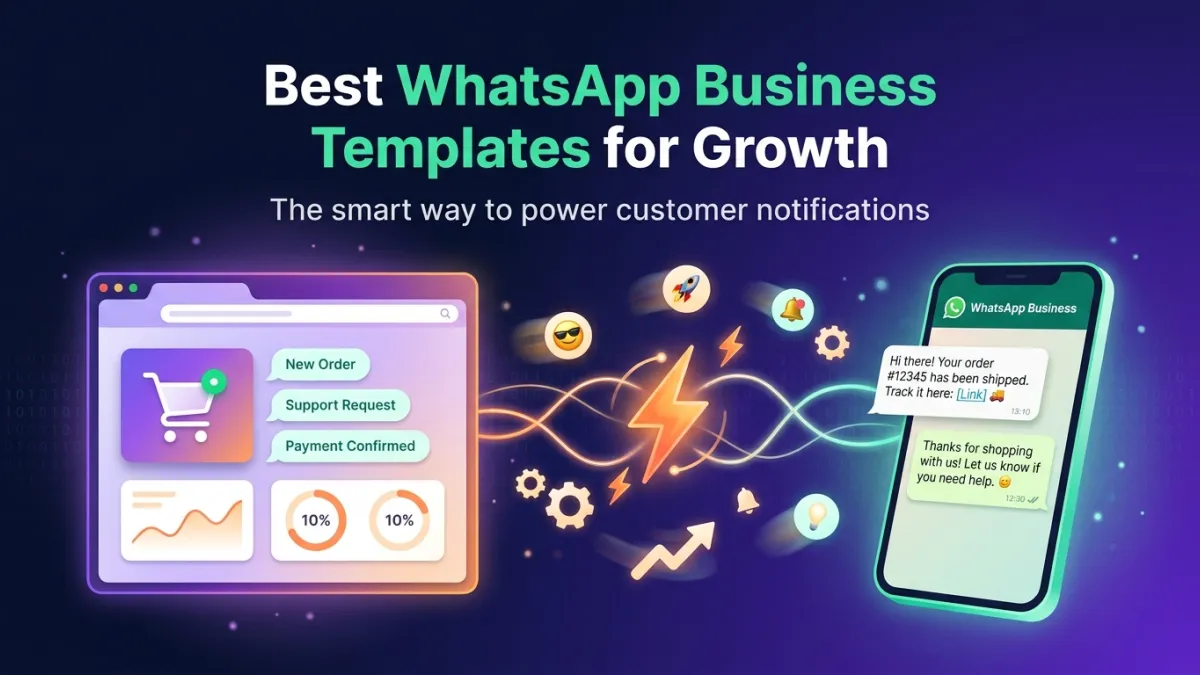
These templates are designed to send important, specific information related to a transaction or action taken by the customer. They are essential for building trust and providing excellent customer service. Examples:
- Order Confirmations: "Thank you for your order! Your order number is #12345. It will be shipped within 24 hours."
- Shipping Updates: "Good news! Your order #12345 is on its way, expected to arrive on Wednesday."
- Payment Receipts: "Your payment of [Amount] for [Service] has been successfully received. Thank you!"
- Booking Confirmations: "Your booking at [Hotel/Restaurant Name] on [Date] at [Time] has been confirmed."
Alerts & Notifications Templates
These templates are used to inform customers about important updates or changes that may affect them, helping to keep them informed and reduce inquiries. Examples:
- Appointment Reminders: "Reminder of your appointment with [Company Name] tomorrow at [Time]. Please arrive 15 minutes early."
- Service Alerts: "We regret to inform you of a temporary technical issue affecting [Service]. We are working to resolve it as quickly as possible."
- Expiration Notifications: "Your subscription to [Service Name] is expiring soon on [Date]. Renew now to continue enjoying the benefits!"
- OTP Verification Messages: "Your verification code is: [Code]. This code is valid for 5 minutes."
Marketing & Promotional Templates
These templates allow you to promote your new products, services, and offers, but the customer must have previously opted in to receive marketing messages. Examples:
- New Product Launch: "Discover our new collection [Product Name]! Available now with a special limited-time discount."
- Special Offers: "Don't miss our summer offers! Discounts up to 50% on [Products]. Shop now!"
- Abandoned Cart Recovery: "Oops, it looks like you left some items in your shopping cart. Complete your order now and get a 10% discount!"
- Event Reminders: "We are pleased to invite you to our upcoming event [Event Name] on [Date]. Register now!"
Ensuring Meta Template Approval: Your Guide to Quick Acceptance
Meta template approval is a crucial step to ensure your messages are delivered. Meta follows strict guidelines to maintain a high-quality communication environment. Here's how to increase your chances of quick approval:
- Adhere to WhatsApp Policies: Ensure your template content does not violate any of WhatsApp's Commerce or Business policies. Avoid offensive, deceptive, or illegal content.
- Clearly Define Purpose: The purpose of the template must be clear and direct. Is it a transactional, marketing, or utility template? Choose the correct category when submitting.
- Use Variables Correctly: Use double curly braces `{{1}}` to represent dynamic data (such as customer name, order number, date). These variables should be relevant and clear.
- Provide Message Examples: When submitting, provide examples of how the final message will appear with the variables filled in. This helps Meta reviewers understand the context of the template's use.
- Avoid Promotional Content in "Utility" Templates: If the template is categorized as "utility," it must be completely free of any marketing or promotional content. It should focus on assisting the customer or providing information related to an existing order or service.
- Maintain Clear and Concise Language: Use easy-to-understand language free of spelling or grammatical errors. The clearer the message, the faster it will be approved.
Remember that the Meta template approval process can take a few hours or even a business day. Therefore, plan ahead and submit your templates with enough time before you need them. With LetsBot, you can leverage our expertise as an Official Meta Business Partner to ensure correct template submission and increase chances of quick approval, in addition to getting LetsBot's MCP — free with any API plan to simplify message management.
Strategies for Using WhatsApp Message Templates to Maximize ROI
Once your WhatsApp message templates are approved, the real fun begins in how to use them to achieve maximum engagement and conversions. Here are some advanced strategies:
- Hyper-Personalization: Don't just address the customer by name. Use the data you have available to tailor the message content to their interests, past purchases, or behavior. For example, "Hi [Customer Name], we noticed your interest in [Category Name] products. You might like [New Product Name]!"
- Clear Calls to Action (CTAs): Every message should contain a clear and specific call to action. Whether it's "Shop Now," "Book Your Appointment," "Contact Us," or "Learn More." Use the interactive CTA buttons provided by WhatsApp templates to simplify the action for the customer.
- Timing is Everything: Sending the right message at the right time can significantly increase open and response rates. Use automation to send abandoned cart reminders an hour after they're left, or shipping notifications immediately upon status update.
- Leverage Automation and AI: Link your templates with your smart WhatsApp bot. The bot can automatically send templates based on customer actions or inquiries, providing instant responses. LetsBot's WhatsApp bot offers this capability, with custom training options.
- Performance Analysis and Continuous Improvement: Track metrics such as open rates, click-through rates, and conversion rates for each template. Use this data to refine message wording, sending times, and calls to action. A/B testing different versions of templates can reveal what works best for your audience.
- Integration with CRM and E-commerce Systems: For maximum efficiency, integrate the WhatsApp Business API platform with your CRM systems and e-commerce platforms like Salla, Zid, and WooCommerce. This allows for full automation of sending WhatsApp message templates based on customer data and actions, such as order status notifications or abandoned cart reminders.
By implementing these strategies, you will not only ensure your messages are delivered but also enhance customer engagement, improve their experience, and ultimately increase your sales and profits. You can use our WhatsApp ROI Calculator to estimate the expected return on investment from your campaigns.
LetsBot: Your Ideal Partner for Efficient WhatsApp Template Management
In the fast-paced business world, you need a reliable technology partner to help you get the most out of WhatsApp. LetsBot, as an Official Meta Business Partner, provides you with all the necessary tools and services to manage WhatsApp message templates effectively and efficiently in the MENA region (Middle East & North Africa).
We offer an integrated platform that allows you to easily create and submit message templates for approval, in addition to a wide range of features that enhance your customer communication. Through LetsBot, you can:
- Easy Template Creation and Submission: Our intuitive interface makes the process of designing and submitting message templates for Meta approval simple and fast, with clear guidance to increase approval chances.
- Effective Bulk Messaging: Use your approved templates to send marketing campaigns or important notifications to thousands of customers at once, ensuring message delivery and monitoring their performance.
- Smart Automation with WhatsApp Bot: Integrate your templates with LetsBot's smart WhatsApp bot to provide instant, personalized responses around the clock, saving time and improving customer experience. Our bot supports custom training to suit your unique business needs.
- Powerful Integrations: Connect LetsBot with popular e-commerce platforms like Salla, Zid, and WooCommerce, as well as payment gateways such as Stripe and PayTabs, to enable order status notifications, abandoned cart recovery, and OTP verification via WhatsApp.
- Exceptional Technical Support: LetsBot's support team is available 24/7 and speaks Arabic, providing assistance and answering your inquiries about templates or any other aspect of the platform.
- Regional and Global Compliance: We ensure full compliance with data protection standards like GDPR and regional regulations in Saudi Arabia, UAE, Egypt, Kuwait, Qatar, and Bahrain (such as CITC, TDRA, NTRA, CITRA, CRA, TRA), giving you peace of mind.
As an Official Meta Business Partner, we fully understand the regional market requirements and strive to provide innovative solutions that enable businesses to maximize their use of WhatsApp. With LetsBot, you don't just get a platform; you get a strategic partner committed to your success.